Medical Guardian Prices and Deals in 2026
Seniors can save on Medical Guardian systems with annual payment plans and seasonal discounts. The company offers top-notch customer service and excellent value for those seeking reliable emergency response.


How We Evaluated Medical Guardian’s Systems for Price and Value
Our tech team spent 100 hours researching and testing Medical Guardian systems. We took into account our personal experience testing Medical Guardian devices and systems, as well as previous testing data from similar products we’ve reviewed to see how Medical Guardian measures up in terms of price and value. We considered the following criteria:
- Pricing and value: We do a careful cost-benefit analysis to help seniors gauge whether Medical Guardian products and monitoring offer good value for the price. We took note of equipment fees, ongoing monitoring costs, and shipping and activation fees. We also researched company discounts, seasonal promotions, free trial periods, and other ways to save.
- Buying process: We noted how clear and intuitive Medical Guardian’s purchasing process is, including whether extra or ongoing costs and fees are well-explained.
- Setup: We considered the steps involved in setting up Medical Guardian’s products, including whether instructions were clear and easy to follow and how simply and quickly our testers were able to get systems up and running.
- Device testing: To gauge product durability and reliability, we spent a week using the systems at home and on the go. We tested them indoors and outdoors, on walks, and, if a system was water-resistant, in the shower. Then, we made test calls to ensure they still worked as intended.
- Response times: We tested each system 10 times to determine the average response times of Medical Guardian’s emergency call agents. To test fall-detection accuracy and response times, we mimicked falling onto couch cushions and dropped the pendant from chest height 10 times.
- Features for caregivers: We were impressed that the Medical Guardian app lets users add emergency contacts, view the device’s location, see an emergency call log, create an emergency plan, update billing information, and set reminders. Many seniors might appreciate the ability to easily share health data with loved ones and caregivers.
- Customer service: We spoke with Medical Guardian’s customer service team multiple times to ensure they were able to offer swift and competent assistance when needed.
Read our full medical alert methodology guide to learn more about our testing process.
Medical Guardian is a longtime leader in the medical alert industry, with a diverse lineup that includes at-home and on-the-go systems. After testing Medical Guardian’s systems, our tech experts ranked them No. 2 on our list of the best medical alert systems for their high-tech features, versatile equipment, reliable monitoring, and excellent customer care. Their monthly plans start at $31.95, so they’re slightly pricier than some competitors. But they don’t require you to commit to a long-term contract, unlike other providers we’ve reviewed, such as Life Alert.
We’ll break down the costs and value of Medical Guardian’s products and plans, as well as our suggestions for what to avoid, so you can make an educated decision when purchasing a medical alert system.
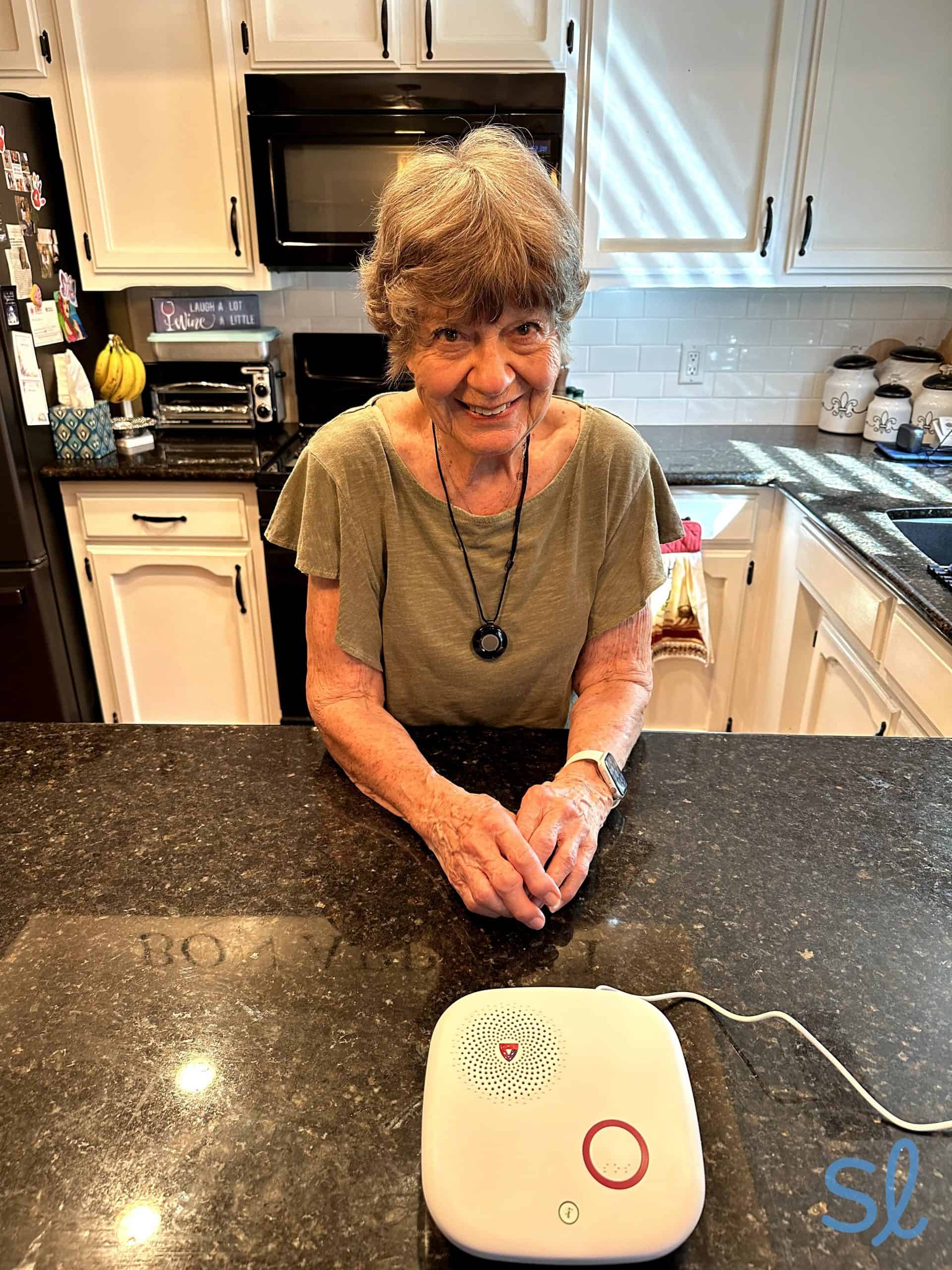
My grandma testing out Medical Guardian's MGHome Cellular system

At-a-Glance: What You Need To Know About Medical Guardian
- Landline and cellular options
- Cellular coverage through AT&T or Verizon
- 24/7 professional monitoring included in all packages
- U.S.-based monitoring centers
- No long-term contracts required
- High-tech smartwatch system
- Water-resistant technology
- Discounts available for annual payment plans
- No activation fees
- Customizable packages to fit most lifestyles
- Online portal for care management
The Fast Facts: Medical Guardian’s Packages and Pricing
| Product | Monthly prices | Designed for | Connection type | Equipment fees |
|---|---|---|---|---|
| MGHome Landline | $31.95 per month | At home | Landline | $149.95 |
| MGHome Cellular | $38.95 per month | At home | Cellular | $149.95 |
| Guardian Flex | $44.95 per month | On the go | Cellular | $149.95 |
| MGMove | $49.95 per month | On the go | GPS, Cellular | $199.95 |
Medical Guardian offers a variety of high-tech medical alert systems to meet your needs and lifestyle.

A Closer Look at Medical Guardian’s Systems and Value
Medical Guardian offers a diverse lineup at several price points. Standard monthly plans range from $31.95 to $49.95. We suggest comparing quarterly and annual billing options, since prepaying can lower the effective monthly rate. If you cancel a prepaid plan early, you may receive a prorated refund for unused service, but we recommend confirming the terms for your system before ordering.
We would have liked a 30-day free trial period to test Medical Guardian's systems, like LifeFone offers, or at least a 15-day trial, which you get with Bay Alarm Medical. But we appreciate that Medical Guardian doesn't charge activation fees for their systems, unlike other companies we've reviewed, including Lively.
When comparing prices with similar brands, we recommend factoring equipment fees, shipping, and add-ons into the total cost. We also appreciate the free MyGuardian portal and app, which let you manage billing, health, and safety information in one place.
Pro Tip: Medical Guardian and Lively are two of the top players in the medical alert industry. For a side-by-side look at these providers, visit our Medical Guardian vs. Lively comparison guide.
MGHome Landline
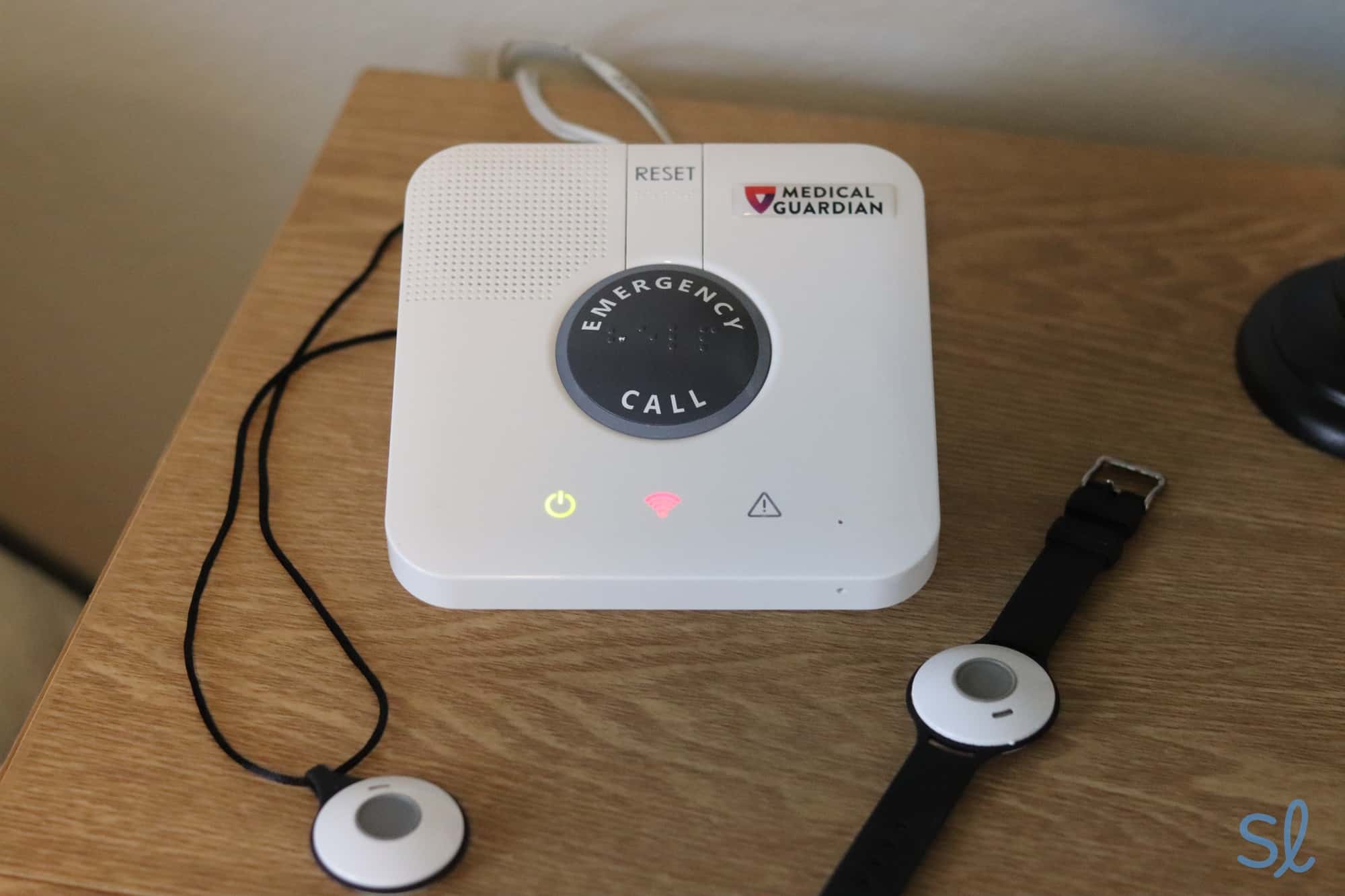
Testing out MGHome Landline
At $31.95 per month, MGHome Landline is Medical Guardian’s lowest-priced package, though it still comes with a one-time $149.95 equipment fee. We recommend it for older adults who live where cellular reception is unreliable or who want Medical Guardian’s lowest-cost option. It’s their only landline system, and it’s designed for in-home use.
The system includes a base station and a water-resistant wearable help button. We could call for help by pressing either the button on the base station or the wearable button.
Once we did, Medical Guardian’s monitoring center always responded in under a minute. Then, we just used the two-way talk feature to let them know what we needed. We’re big fans of the system’s long in-home range of up to 1,400 feet (one of the longest ranges in the industry) and the 32-hour backup battery.
MGHome Cellular
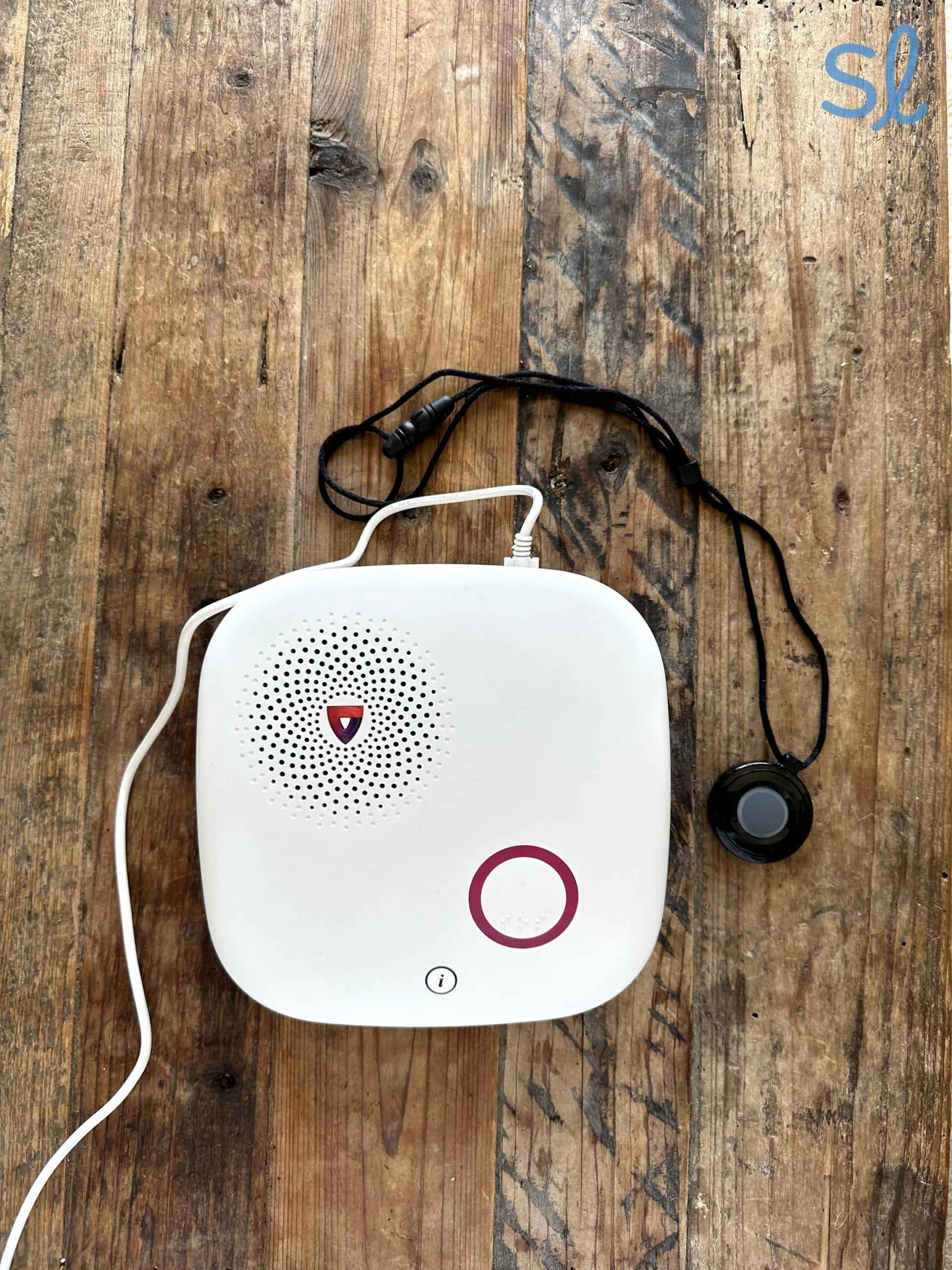
Testing out Medical Guardian's MGHome Cellular system
MGHome Cellular is ideal for seniors who spend most of their time at home. It costs a bit more ($38.95 per month) than MGHome Landline, plus a one-time equipment fee of $149.95.
The primary difference between the two systems is that the MGHome Cellular base station has a sleeker design and uses cellular and Wi-Fi connections rather than a landline. We found that this system blended in better than the MGHome Landline, as it’s more modern-looking. You can also add fall detection for $10 per month. We’d recommend going with MGHome Landline if you want the lowest-cost Medical Guardian system available.
The base station for MGHome Cellular comes with a 32-hour backup battery, a high-speed connection that utilizes 4G LTE and Wi-Fi, and a two-way talk speaker.
Notably, Medical Guardian improved the MGHome Cellular coverage range between the help button and the base station in 2020, extending it from 600 to 1,400 feet! With this extensive range, we could easily call for help no matter where we were in our two-story home.
Guardian Flex

Medical Guardian's Guardian Flex can be worn as a pendant, wristband or belt clip.
Guardian Flex costs $44.95 per month, $128.85 per quarter, or $479.40 per year, plus a one-time $149.95 device fee. The quarterly plan works out to $42.95 per month, while the annual plan works out to $39.95 per month. Medical Guardian discounts the device fee through monthly promotions, so we recommend checking the current offer before ordering. We recommend Guardian Flex for older adults who want one compact device they can wear on their wrist, around their neck, or on a belt.
At 1.5 ounces and 1.5 by 1.8 inches, Guardian Flex is smaller than a key fob and comes in black, gold, and silver. It uses Verizon’s 4G LTE network along with GPS and Wi-Fi-assisted location technology. The device includes two-way talk, optional automatic fall detection, step and activity tracking, and access to Medical Guardian’s 24/7 U.S.-based monitoring center. It’s IP67-rated, water-resistant, and shower-safe, and its battery lasts up to five days depending on cellular signal strength and device use.
Through the MyGuardian portal and app, members and caregivers can check the device’s location, battery, cellular signal, and step count. They can also manage account details, contacts, and payments or make a misplaced Guardian Flex announce, “I’m over here.”
During our testing, Guardian Flex connected us with an emergency operator in 15 seconds on average, and we found the speaker clear and easy to hear. Its automatic fall detection recognized eight out of 10 simulated falls. Since fall detection isn’t 100 percent accurate, we recommend pressing the SOS button whenever possible during an emergency.
MGMove

Testing out the MGMove watch
MGMove is Medical Guardian’s smartwatch option. It costs $49.95 per month, $140.85 per quarter, or $539.40 per year, plus a $199.95 equipment fee. The quarterly plan works out to $46.95 per month, while the annual plan works out to $44.95 per month.
This smartwatch features a touchscreen face with a step tracker, weather app, and Shake to Wake feature. During testing, we found that it resembles a normal smartwatch, so no one could tell we were wearing a medical alert system!
With optional apps, users can text and talk with designated contacts, and caregivers can track the user’s location in real time and set up reminders. MGMove has a battery life of up to 24 hours, making it comparable to other watches from providers we’ve reviewed.
Bay Alarm Medical’s SOS Smartwatch may be better for shoppers who want a simpler, lower-priced watch. Its standard $199 device fee is nearly identical to MGMove’s $199.95 fee, but its $39.95 starting monitoring rate is lower than MGMove’s $49.95 monthly rate and $44.95 annual-plan equivalent. We recommend comparing current promotions before deciding.
Add-On and Accessory Guide
| Add-on equipment | Cost | Features and functionality |
|---|---|---|
| Wireless Wall Button | $2.99 per month |
|
| Additional Alert Pendants | $2.99 per month for each pendant |
|
| Entryway Key Lockbox | $2.99 per month |
|
| Voice-Activated Wall-Mounted Button | $4.99 per month |
|
| Automatic Fall Detection | $10 per month |
|
| OnGuard Alerts | $2.99 per month |
|
| Protection Plan | $6.99 per month |
|
| Social Circle Apps (MGMove Only) | $2.99 per month |
|

Options when you go to send a new message
How To Get the Best Deal With Medical Guardian
Medical Guardian isn’t the cheapest medical alert provider, so getting the best deal comes down to choosing the right system and payment structure for your budget. You’ll also want to avoid unnecessary add-ons and confirm cancellation and refund details before you buy. Here’s how we recommend shopping for the right Medical Guardian system for you:
Check for Promos and Seasonal Discounts
Medical Guardian regularly promotes ongoing and limited-time offers (like a free month of monitoring, discounted annual rates, and free shipping). Before you place your order:
- Check the website for current promotions.
- If you order by phone, ask the representative if there are any active promo codes or seasonal discounts they can apply.
- If you’re comparing brands, ask whether Medical Guardian can match or beat a competitor’s monitoring rate.
Compare Monthly, Quarterly, and Annual Payment Costs
Medical Guardian offers lower effective monthly rates when users pay quarterly or annually. Guardian Flex drops from $44.95 with monthly billing to an effective $42.95 per month quarterly or $39.95 per month annually. MGMove drops from $49.95 monthly to an effective $46.95 per month quarterly or $44.95 per month annually. We suggest comparing the full prepaid total—not just the monthly equivalent—before choosing a billing cycle.
If you pay monthly for MGHome Landline, monitoring costs $31.95 per month, excluding equipment and shipping. A quarterly plan costs $89.85, or $29.95 per month, while an annual plan costs $335.40, or $27.95 per month. Bay Alarm Medical also offers quarterly and annual billing, but its per-month monitoring rates remain the same, so prepaying doesn’t lower the monitoring cost.
With Medical Guardian, an annual plan can lower your effective monthly cost and may include perks such as free shipping, extra equipment, or a free month of monitoring, depending on the promotion. We recommend annual billing if you’re confident you’ll keep the service long term. If you’re unsure, monthly billing is the safer choice because it lowers the amount you pay up front for a service you might not use.
Factor in One-Time Equipment Fees
All Medical Guardian systems include one-time equipment fees. When you’re comparing “monthly price” across brands, always ask for the total first-year cost, including:
- Monthly monitoring
- Any fees (equipment, activation, installation, etc.)
- Add-ons (like fall detection)
- Optional protection plans
Use Add-Ons Strategically
Medical Guardian’s add-ons can be extremely useful, but selecting several can add $10 to $30 or more to your monthly bill. If you’re on a budget, we recommend starting with the features you need most, such as fall detection, and adding other accessories only when they serve a clear purpose.
Understand Cancellations, Refunds, and Returns Before You Commit
If you’re worried about committing to Medical Guardian for an entire year, they let you cancel your subscription, but they require a three-month minimum service commitment. If you lease your equipment, cancellation begins after Medical Guardian receives the returned system. If you purchased the equipment, cancellation begins after they receive a signed cancellation letter. The process can take up to 30 days.
Any unused prepaid monitoring beyond the first three months is eligible for a prorated refund. Leased-equipment returns may also incur a restocking fee of up to $50. Before you buy, we recommend confirming:
- Whether your equipment is leased or purchased
- How and where to return equipment or submit the cancellation letter
- How much of your prepaid monitoring would be refunded
- Whether a restocking fee applies
- When service and billing will officially end
Medical Guardian vs. the Competition
Medical Guardian is a great option for those who want sleek, high-tech systems. But how does the brand compare to other companies? Let’s take a look.
Providers like Lifeline and Lively don't offer landline systems. If you're looking for a home system that works with a landline, Medical Guardian is an excellent choice, particularly with its impressive indoor range of up to 1,400 feet. Medical Guardian also offers fall detection for $10 per month, which is standard for the industry.
Medical Guardian’s products are durable and reliable, and they offer many of the same features that other top emergency medical alert systems do. For example, Medical Guardian’s watch has a step tracker, and it can be worn in the shower, like LifeFone’s smartwatch and Bay Alarm Medical’s SOS Smartwatch.
Pro Tip: Having trouble choosing a system? Check out our Medical Guardian and Bay Alarm Medical comparison guide.
If you’re interested in sending messages via your medical alert watch, the MGMove’s messaging features aren’t as advanced as the Apple Watch. But we love the easy-to-use touchscreen and the text-to-speech feature, which isn’t offered with many other medical alert watches.
When it comes to cost, Medical Guardian is one of the pricier medical alert brands. If you’re looking for a more budget-friendly option, consider other companies such as Bay Alarm Medical or MobileHelp. However, if it suits your budget, we think Medical Guardian’s advanced features and excellent customer service are worth the cost.
Compare Medical Guardian to Other Providers








Customer Satisfaction and Reputation
At the time of our review, Medical Guardian has a 4.2 out of 5 rating on Trustpilot. Reviewers often praise their helpful representatives, quick emergency response, reliable equipment, and the peace of mind the service provides. Some reviewers report difficulty reaching customer service or problems with device performance.
Because cellular performance can vary by location, we recommend confirming coverage before you order and testing your device wherever you plan to use it. We also suggest getting cancellation and refund terms in writing when you enroll, so you know what to expect if your needs change.
Who Medical Guardian Is Best for (and Who It’s Not)
Medical Guardian may not be the best fit for older adults on a very tight budget, since their monthly rates are higher than those of some competitors and they don’t offer a free trial. However, quarterly and annual plans can lower the effective monthly rate for shoppers who can afford to prepay.
If you aren’t looking for the absolute lowest price, we recommend Medical Guardian for older adults who value a broad product selection, modern designs, and strong caregiver tools. They offer at-home and mobile systems for different lifestyles, and their equipment is generally more discreet than many traditional medical alert devices.
If you have a history of falling or a medical condition that increases your fall risk, we recommend adding automatic fall detection for $10 per month. It’s available with every Medical Guardian system, but it can’t detect every fall, so press your help button whenever possible.
The Bottom Line on Pricing and Value for Medical Guardian
While Medical Guardian’s prices are slightly higher than the costs for other companies we’ve reviewed, such as LifeStation, we found that the prices for their mobile alert systems match the quality and advanced features. In other words, you get what you pay for. Plus, you can save on monthly rates with an annual payment plan.
All in all, Medical Guardian’s equipment is durable, sleek, and takes advantage of the latest high-tech features, making it a top medical alert system provider. If you’re willing to pay a little extra, Medical Guardian’s systems can go a long way for you and your family.
Frequently Asked Questions About Medical Guardian
-
How much does Medical Guardian cost?
Medical Guardian alert systems start at $31.95 per month and go up to $49.95 per month with standard monthly billing, depending on the package you choose. We recommend budgeting an additional $10 per month if you want automatic fall detection.
-
What does Medical Guardian offer?
Medical Guardian offers four current systems: MGHome Landline and MGHome Cellular for at-home use, Guardian Flex for mobile protection, and the MGMove smartwatch. All four include 24/7 professional monitoring, and automatic fall detection is available as an optional add-on.
-
Who are Medical Guardian’s alert systems best for?
We recommend Medical Guardian for older adults who want a choice between at-home and mobile protection, modern equipment, and caregiver-friendly tools. We suggest comparing the monitoring rate, equipment fee, and add-ons for each system before choosing one.
-
What is the recommended way to wear my fall detection pendant?
It is best to wear the fall detection pendant outside your clothing, so it can move freely to detect motion. Ideally, you want to wear the pendant in the middle of the breastbone.
-
Do I need a medical alert system?
A medical alert system can’t prevent every fall or emergency, but it can make it easier to call for help quickly when you can’t reach a phone. We recommend considering one if you live alone, have a history of falls, manage a condition that could require urgent help, or simply want additional peace of mind.
-
CDC. (2026). Facts About Falls.